
• About
    • Who We Are
    • What We Do
    • The Management Team
    • Global
  • Solutions
    • Microsoft Dynamics 365 CRM
    • Cloud Technology
    • Business Central
    • Data and AI
    • Enterprise Content Search
  • Services
    • AI Solutions
      • Getting Ready for AI 
      • Dynamics 365 Agents
      • ECLEVA Agents
    • Business Systems Consulting
    • Enterprise Resource Planning (ERP)
      • Wiise Business Central
    • CRM & Marketing Automation
    • Business Intelligence
    • PowerApps
      • HSE App by ECLEVA
    • RPA
  • Sectors
    • Corporate & SME
    • Not-For-Profit
    • Construction
    • Financial Services
    • Education
    • Manufacturing
    • Government
  • Customer Stories
  • Insights
    • Blog
    • News
    • Videos
  • Contact
    • Contact ECLEVA
    • Customer Support
Get in touch
  • About
    • Who We Are
    • What We Do
    • The Management Team
    • Global
  • Solutions
    • Microsoft Dynamics 365 CRM
    • Cloud Technology
    • Business Central
    • Data and AI
    • Enterprise Content Search
  • Services
    • AI Solutions
      • Getting Ready for AI 
      • Dynamics 365 Agents
      • ECLEVA Agents
    • Business Systems Consulting
    • Enterprise Resource Planning (ERP)
      • Wiise Business Central
    • CRM & Marketing Automation
    • Business Intelligence
    • PowerApps
      • HSE App by ECLEVA
    • RPA
  • Sectors
    • Corporate & SME
    • Not-For-Profit
    • Construction
    • Financial Services
    • Education
    • Manufacturing
    • Government
  • Customer Stories
  • Insights
    • Blog
    • News
    • Videos
  • Contact
    • Contact ECLEVA
    • Customer Support
Get in touch
  • About
    • Who We Are
    • What We Do
    • The Management Team
    • Global
  • Solutions
    • Microsoft Dynamics 365 CRM
    • Cloud Technology
    • Business Central
    • Data and AI
    • Enterprise Content Search
  • Services
    • AI Solutions
      • Getting Ready for AI 
      • Dynamics 365 Agents
      • ECLEVA Agents
    • Business Systems Consulting
    • Enterprise Resource Planning (ERP)
      • Wiise Business Central
    • CRM & Marketing Automation
    • Business Intelligence
    • PowerApps
      • HSE App by ECLEVA
    • RPA
  • Sectors
    • Corporate & SME
    • Not-For-Profit
    • Construction
    • Financial Services
    • Education
    • Manufacturing
    • Government
  • Customer Stories
  • Insights
    • Blog
    • News
    • Videos
  • Contact
    • Contact ECLEVA
    • Customer Support
  • About
    • Who We Are
    • What We Do
    • The Management Team
    • Global
  • Solutions
    • Microsoft Dynamics 365 CRM
    • Cloud Technology
    • Business Central
    • Data and AI
    • Enterprise Content Search
  • Services
    • AI Solutions
      • Getting Ready for AI 
      • Dynamics 365 Agents
      • ECLEVA Agents
    • Business Systems Consulting
    • Enterprise Resource Planning (ERP)
      • Wiise Business Central
    • CRM & Marketing Automation
    • Business Intelligence
    • PowerApps
      • HSE App by ECLEVA
    • RPA
  • Sectors
    • Corporate & SME
    • Not-For-Profit
    • Construction
    • Financial Services
    • Education
    • Manufacturing
    • Government
  • Customer Stories
  • Insights
    • Blog
    • News
    • Videos
  • Contact
    • Contact ECLEVA
    • Customer Support
News
Home Uncategorized Coordinate crisis communications using Power Platform remote working app
Business

Coordinate crisis communications using Power Platform remote working app
March 26, 2020

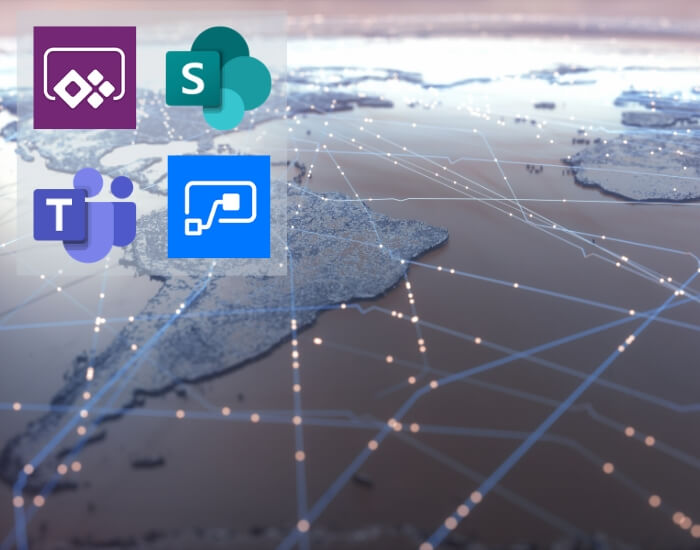
As news of COVID-19 (coronavirus) cases spread globally, Microsoft has released the Crisis Communication app – a solution to help customers coordinate their own information sharing and team collaboration. Built on the Power Platform, the solution combines capabilities of Power Apps, Power Automate, Teams, and SharePoint. It can be used on the web, mobile or in Teams.

Key features include:
  • Employees can report their work status (e.g., working from home) and make requests. This helps managers coordinate across their teams and helps central response teams track status across an organisation.
  • Admins can use the app to push news, updates, and content specific to their organisation, and can provide emergency contacts specific to different locations.
  • The app includes the ability to add RSS feeds of up-to-date information from reputable sources such as WHO, CDC, or a local authority.

Microsoft is also giving all Power Apps users temporary access to a premium feature, Power Apps Push Notifications. This means premium licenses won’t be needed to use Power Apps to push information to users. Microsoft has reclassified Push Notifications as a standard connector for the duration of the COVID-19 crisis.

Click here to find out more.

See also: Delivering online meetings and events

COVID 19 Microsoft solution online communication Power Apps Power Platform
193
ECLEVA - Here to help you work remotelyECLEVA - Here to help you work remotelyMarch 19, 2020
Resources and support for not-for-profit organisations during COVID-19 outbreakMarch 31, 2020Resources and support for not-for-profit organisations during COVID-19 outbreak

Leave a Reply Cancel reply

Your email address will not be published. Required fields are marked *

Categories
  • Blog (40)
    • AI (3)
    • Business (10)
    • Business Intelligence​ (3)
    • Digital Transformation (10)
    • IT (23)
    • Marketing (1)
  • Dynamic 365 (8)
  • News (18)
    • Business (11)
    • IT (5)
    • Sales (2)
  • Video (34)
    • Business (29)
    • Business intelligence (3)
    • Digital transformation (18)
    • IT (23)
    • Process automation (2)
Recent Posts
  • Reconciliation Reimagined: How Copilot and Business Central Transform Finance Operations
  • ERP or CRM First? How Senior Leaders Can Make the Right Call 
  • ECLEVA Presents: Real Ways AI Can Power Your Business
  • Microsoft Dynamics 365 Migration A Step-By-Step Guide
  • Microsoft Dynamics 365: A Quick Tour of Features and Costs


ECLEVA
© ECLEVA 2025.

All rights reserved.
Privacy Policy

Solutions

Business Systems Consulting

Customer Engagement (CRM) & Marketing Automation

Rapid Application Development (PowerApps)

Process Automation (RPA)

Business Intelligence(Power BI)

Sectors

Corporate & SME

Not-for-profit

Construction

Financial Services

Education

Contact

Address:

100 Walker St.
North Sydney 2060

Phone:

+61 2 9467 9300

Address:

401-402, R M Arcade, Near Goverdhan Park,Taxsila School Road, Vastral, Ahmedabad 382418

Phone:

+91 98244 60130

Website:

www.ecleva.com

#integrio_button_694cb0b46c5a5 .wgl_button_link { color: rgba(255,255,255,1); }#integrio_button_694cb0b46c5a5 .wgl_button_link:hover { color: rgba(12,90,219,1); }#integrio_button_694cb0b46c5a5 .wgl_button_link { border-color: rgba(255,255,255,1); background-color: rgba(49,49,49,0); }#integrio_button_694cb0b46c5a5 .wgl_button_link:hover { border-color: rgba(255,255,255,1); background-color: rgba(255,255,255,1); }#integrio_button_694cb0b46c5a5.effect_3d .link_wrapper { color: rgba(255,255,255,1); }#integrio_button_694cb0b477465 .wgl_button_link { color: rgba(49,49,49,1); }#integrio_button_694cb0b477465 .wgl_button_link:hover { color: rgba(255,255,255,1); }#integrio_button_694cb0b477465 .wgl_button_link { border-color: rgba(12,90,219,1); background-color: rgba(49,49,49,0); }#integrio_button_694cb0b477465 .wgl_button_link:hover { border-color: rgba(12,90,219,1); background-color: rgba(12,90,219,1); }#integrio_button_694cb0b477465.effect_3d .link_wrapper { color: rgba(12,90,219,1); }#integrio_soc_icon_wrap_694cb0b4d2ec7 a{ background: #0C5ADB; border-color: transparent; }#integrio_soc_icon_wrap_694cb0b4d2ec7 a:hover{ background: #ffffff; border-color: #0C5ADB; }#integrio_soc_icon_wrap_694cb0b4d2ec7 a{ color: #ffffff; }#integrio_soc_icon_wrap_694cb0b4d2ec7 a:hover{ color: #0C5ADB; }.integrio_module_social #soc_icon_694cb0b4d2f201{ color: #ffffff; }.integrio_module_social #soc_icon_694cb0b4d2f201:hover{ color: #ffffff; }.integrio_module_social #soc_icon_694cb0b4d2f201{ background: #44b1e4; }.integrio_module_social #soc_icon_694cb0b4d2f201:hover{ background: #44b1e4; }.integrio_module_social #soc_icon_694cb0b4d2f4c2{ color: #ffffff; }.integrio_module_social #soc_icon_694cb0b4d2f4c2:hover{ color: #ffffff; }.integrio_module_social #soc_icon_694cb0b4d2f4c2{ background: #0077b5; }.integrio_module_social #soc_icon_694cb0b4d2f4c2:hover{ background: #0077b5; }#integrio_soc_icon_wrap_694cb0b4d91aa a{ color: #ffffff; }#integrio_soc_icon_wrap_694cb0b4d91aa a:hover{ color: #0c5adb; }
Slide

In-Workshop
Step 1: Discover Your Business Challenges

We begin by exploring the parts of your organisation where work feels slow, repetitive, inefficient or difficult to scale. This includes operational bottlenecks, manual processes, disconnected systems, high-touch workflows, and areas where teams rely heavily on workarounds. The goal is to understand the real challenges behind your daily operations so we can identify processes that are strong candidates for improvement, automation or AI assistance.

Slide
In-Workshop
Step 2: Prioritise What Matters Most

Not all problems are equal. In this stage, your team collaboratively prioritises the challenges identified, ranking them based on business impact, urgency, and strategic importance.

This ensures the workshop stays focused on what truly matters — not theoretical use cases — and that every opportunity we identify is anchored to real, agreed business priorities.

Slide
Post-Workshop
Step 3: Map AI & Automation Opportunities

Following the session, ECLEVA translates your prioritised challenges into practical AI and automation opportunities that align to your current Microsoft environment, such as:

Microsoft 365 & Copilot
Dynamics 365 & Business Central
Power Platform (Power Apps, Power Automate, Power BI)
Each opportunity is assessed using a Value × Ease framework, clearly highlighting:

Quick wins
High-impact initiatives
Opportunities requiring more planning or investment
We then present these findings back to your team, walking you through the prioritisation, recommended sequencing, and logical next steps. You’ll receive a clear, visual prioritisation that makes decision-making easy.

Slide
Post-Workshop + Optional Next Phase
Step 4: Feasibility & Readiness Check

We complete a high-level feasibility and readiness check, covering:

Data availability and quality
System and integration readiness
Security, governance, and compliance considerations
Risks, blockers, and any preparation required
The outcome is a clear, actionable roadmap outlining recommended next steps, sequencing, and indicative effort.

If you choose to proceed, ECLEVA can support you through:

Detailed solution design
Proofs of concept or pilots
Implementation and change enablement
Always at your pace, aligned to your goals.

Slide
LEAVE WITH A CLEAR, ACTIONABLE ROADMAP
Step 5: Recommended Next Steps

At the end of the workshop, we consolidate your insights into a clear, practical set of next steps. This includes prioritized opportunities, suggested sequencing, indicative effort levels and a path that aligns to your goals, technology landscape and operational priorities. You leave with an actionable starting point — something you can share with leadership or use to guide your internal planning.

previous arrow
next arrow

    Get Your Free Migration Quote

    Receive detailed migration plan within 24 hours